
Create a File Request Module
A File Request module allows trainees to upload documents or submit web links as part of a course. This module type is useful when you need learners to submit assignments, certifications, completed forms, or other supporting documentation for review.
Create a File Request Module
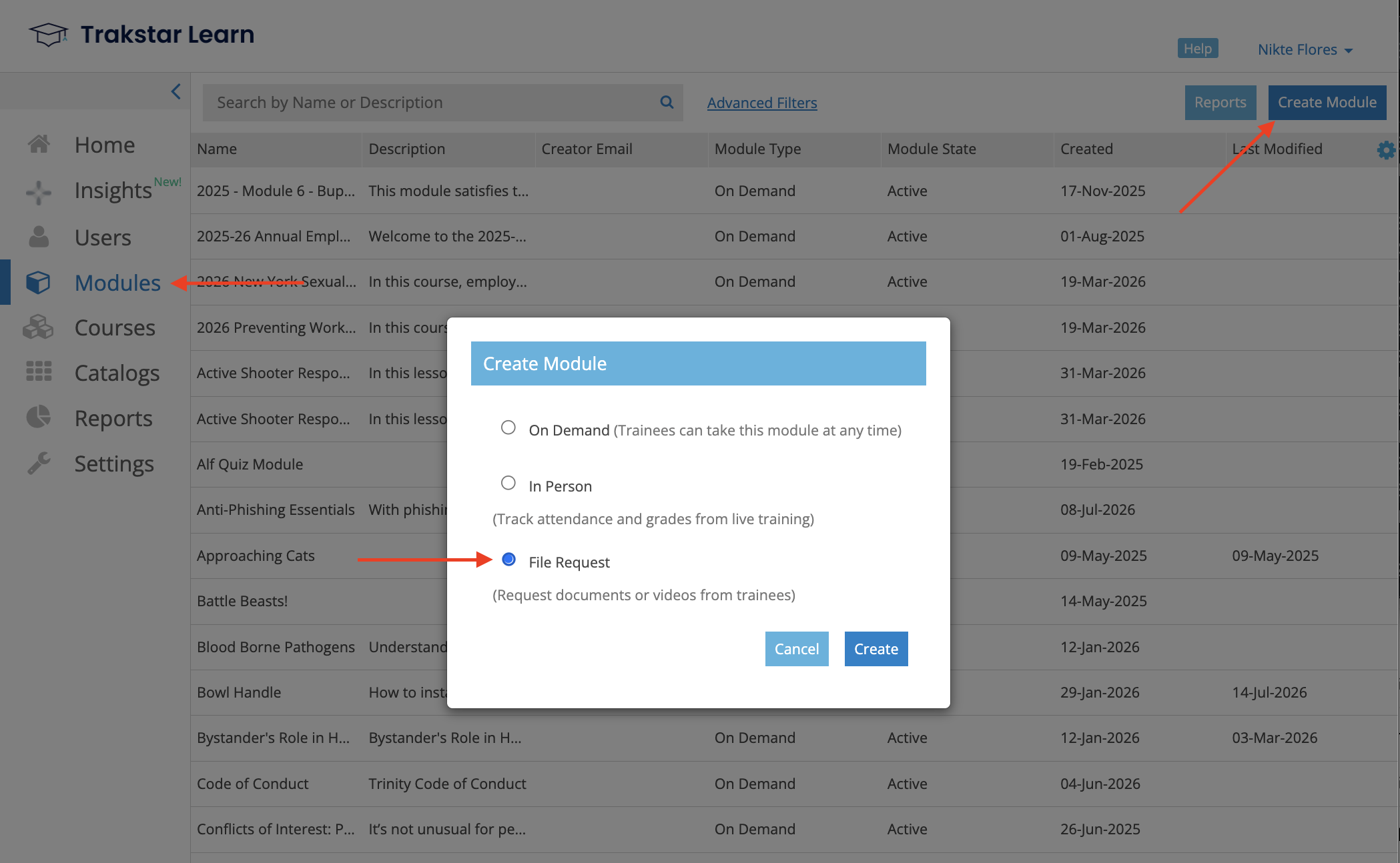
- From the left navigation menu, select Modules.
- Click Create Module.
- Select File Request as the module type.
- Click Create.
Configure the Module
After creating the module:
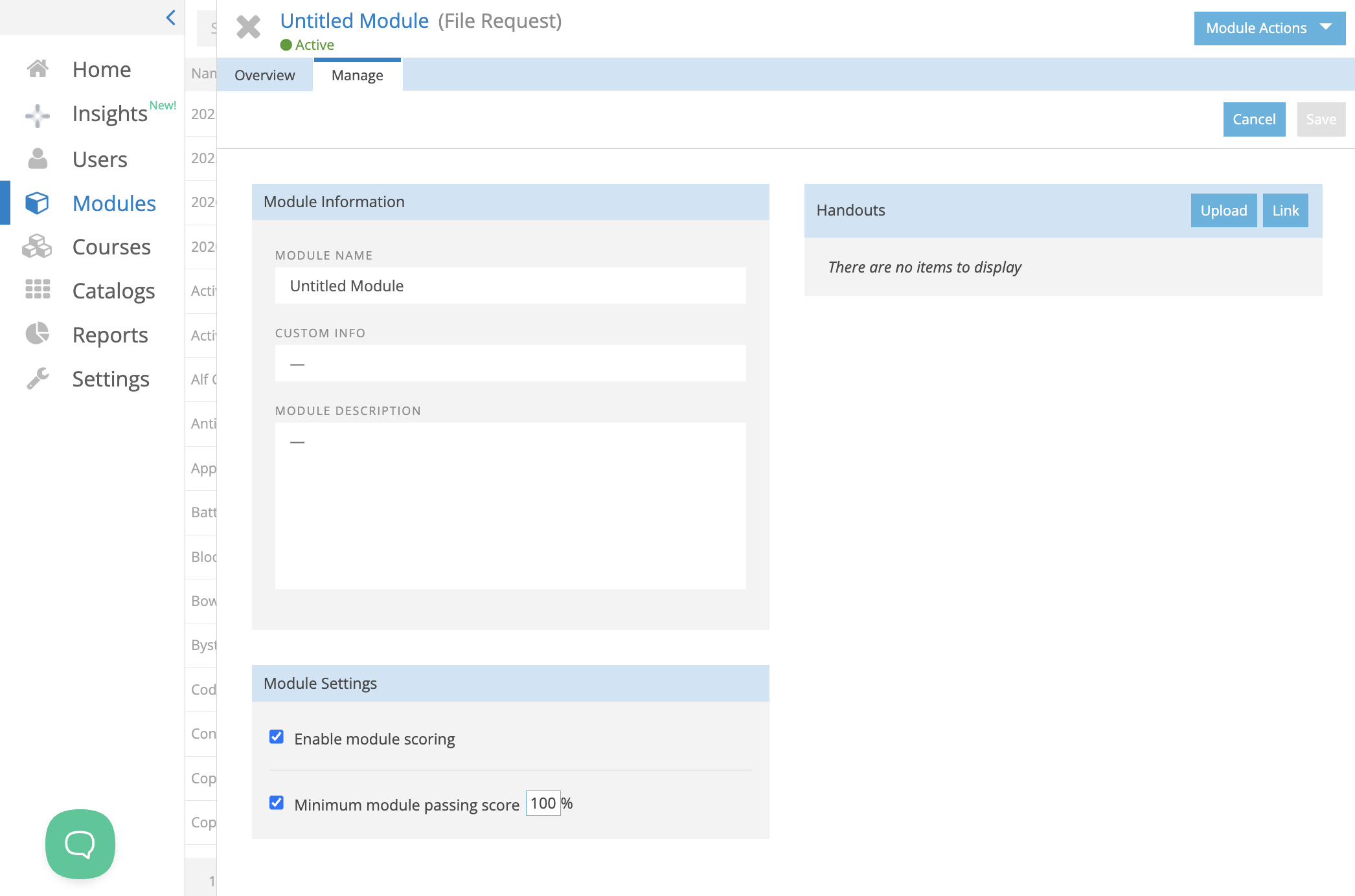
- Enter the Module Name.
- Add a Module Description.
- Include instructions describing the files or web links trainees should submit.
- Save the module.
- Add the module to a course before inviting trainees.
What Trainees See
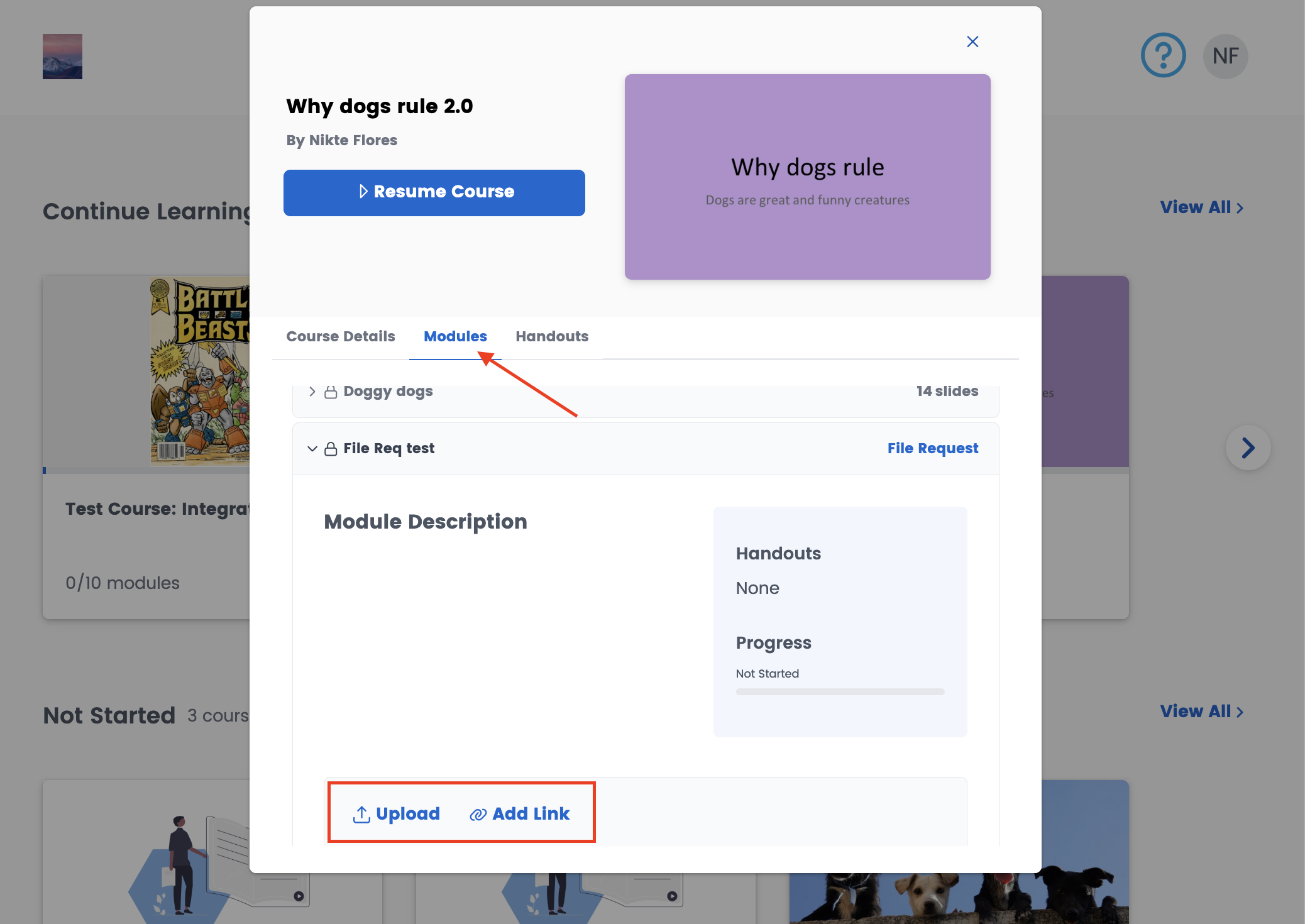
After the File Request module has been added to a course:
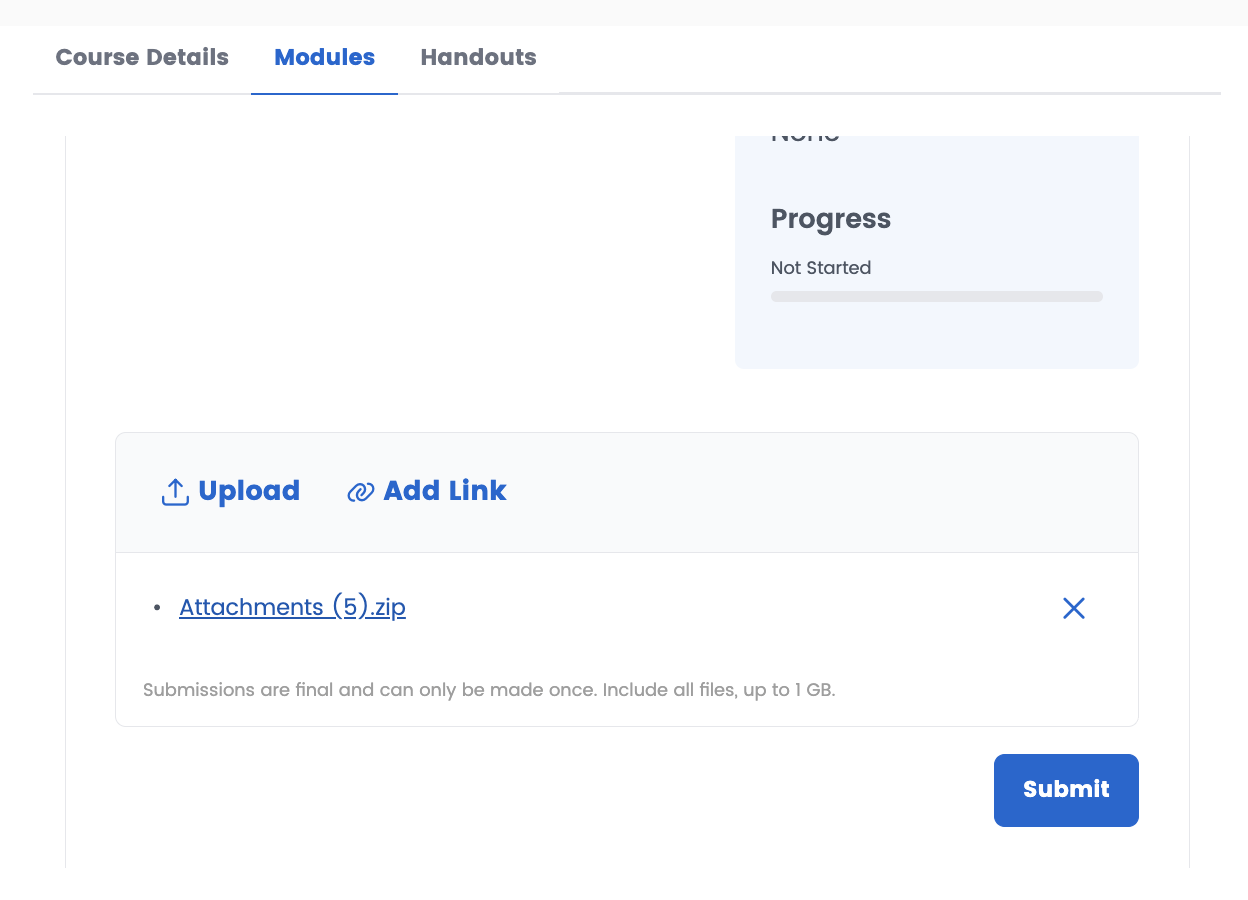
- Trainees can upload one or more files.
- Trainees can submit one or more web links, depending on your instructions.
- Once a trainee submits their files or links, the submission is final and cannot be changed unless an Administrator or Trainer resets the request.
Supported Uploads
- Any file type can be uploaded.
- Individual files can be up to 1 GB in size.