
View a Trainee's Quiz Responses
You can review an individual Trainee's quiz responses and scores directly from the Course's Trainees tab.
Steps
- From the left navigation menu, click Courses.
- Select the desired Course to open the course details panel on the right.
- Click the Trainees tab.
-
Select the Trainee whose quiz responses you want to review.
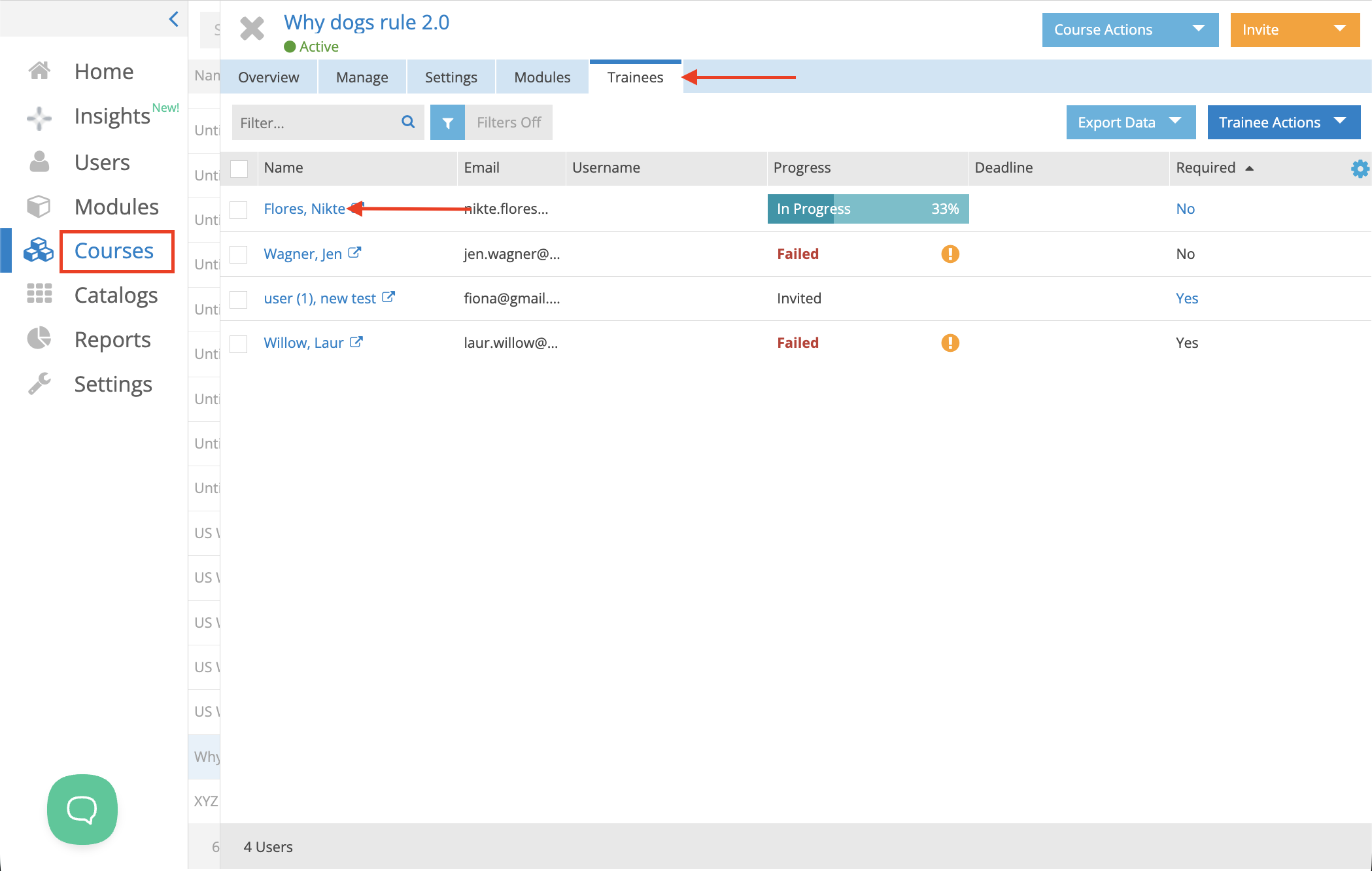
- Below the Trainee Actions button, click the cogwheel icon and ensure that Quiz Scores is enabled.
- A Quiz Scores column will appear. Each quiz score is displayed as a clickable percentage.
- Click the percentage for the quiz you want to review to view the Trainee's responses for that specific Module.

If the Course contains multiple quizzes, each quiz will have its own clickable percentage. Select the appropriate percentage to review the responses for that quiz.