
Can I download audio files from modules?
You can download audio recorded within a module in three different ways, depending on whether you want all module content or a single audio file.
Note: Downloading module content includes all original files and recorded audio files. Quizzes and surveys created within the module are not included in the download.
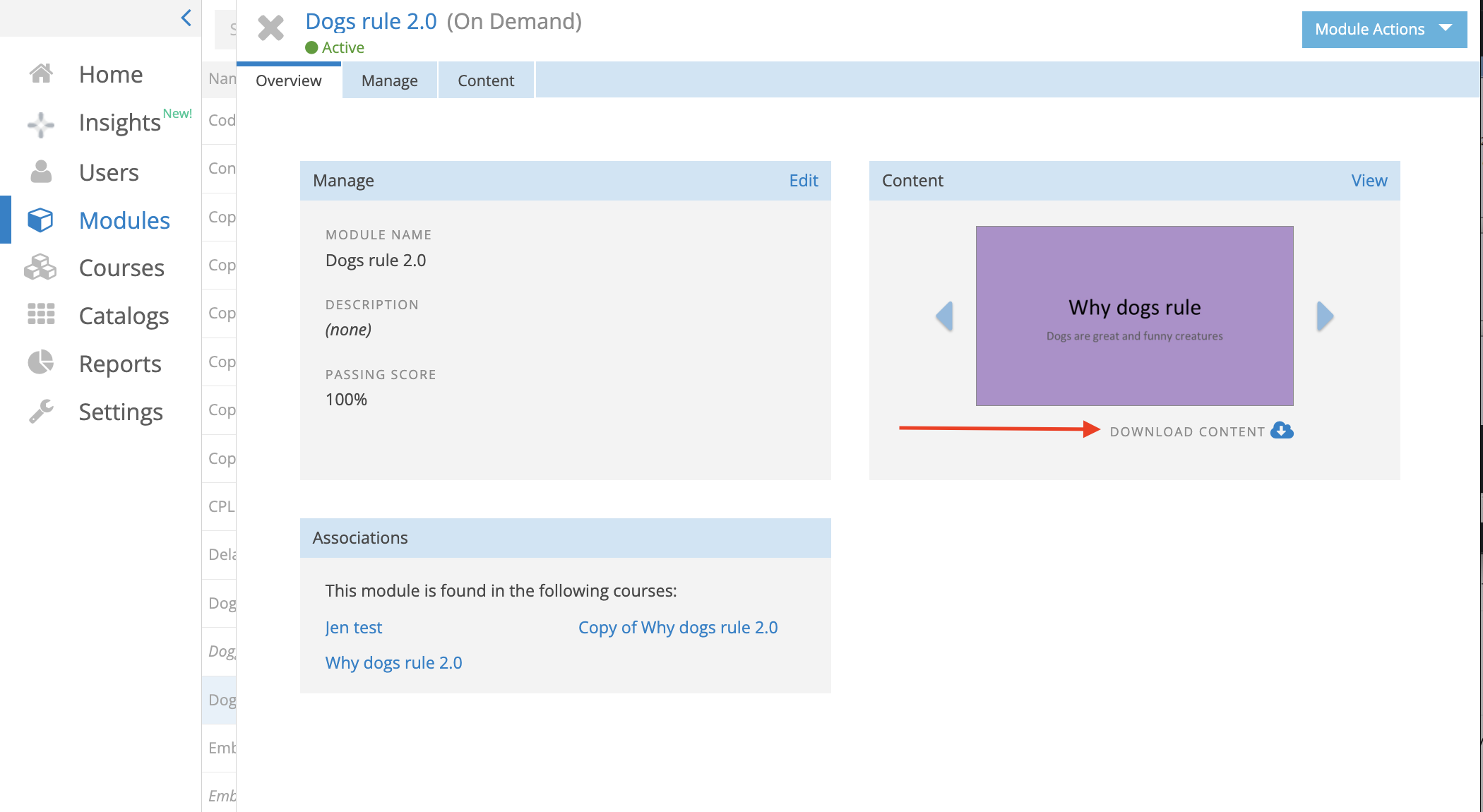
Option 1: Download Audio from the Overview Tab
Use this option to download all module content, including recorded audio files.
- From the left navigation menu, select Modules.
- Open the module.
- Select the Overview tab.
- In the Content section, click Download Content.
A .zip file containing all uploaded content and recorded audio files for the module is downloaded. Quizzes and surveys are not included.
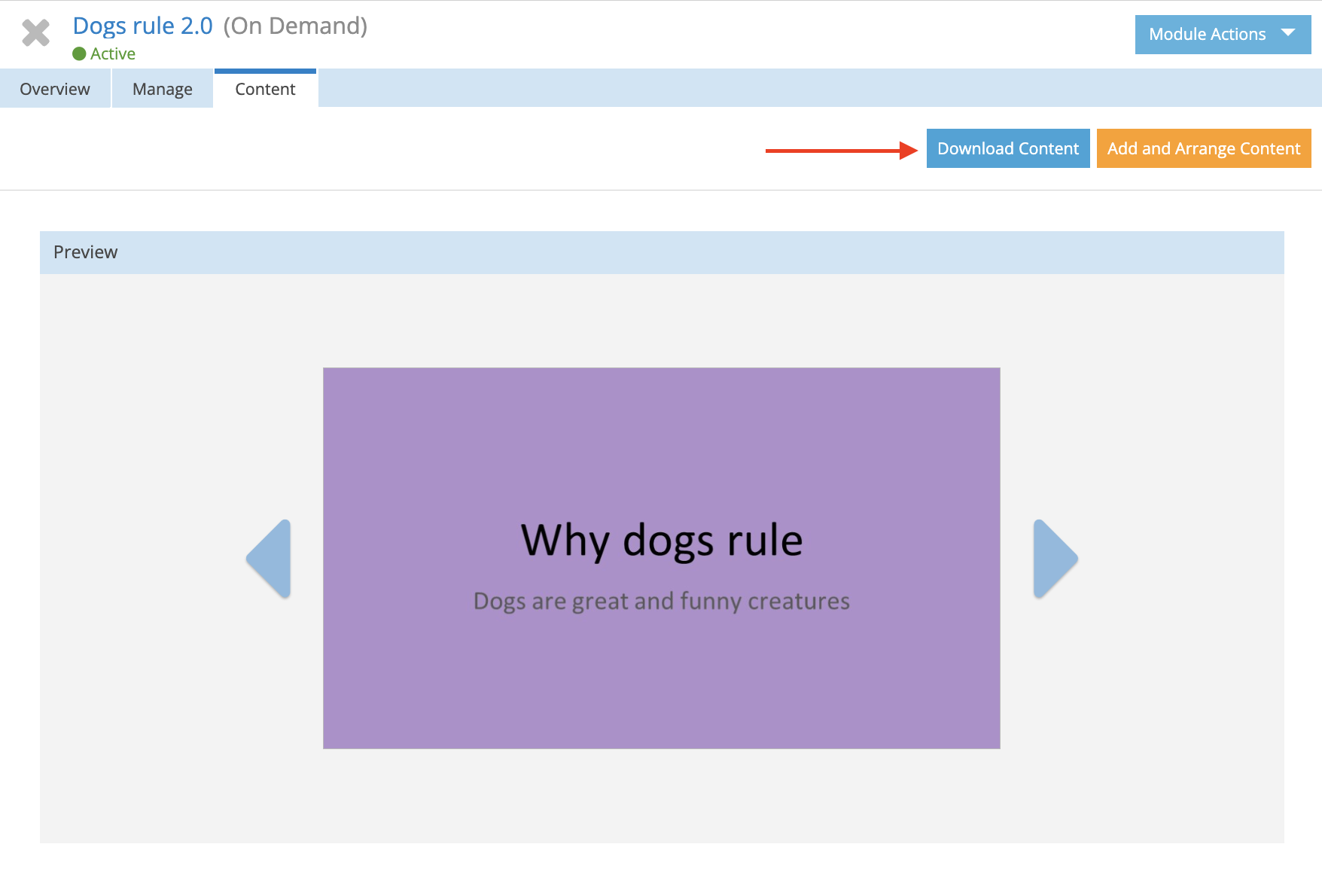
Option 2: Download Audio from the Content Tab
You can also download all module content directly from the Content tab.
- Open the module.
- Select the Content tab.
- Click Download Content.
A .zip file containing all uploaded content and recorded audio files is downloaded. Quizzes and surveys are not included.
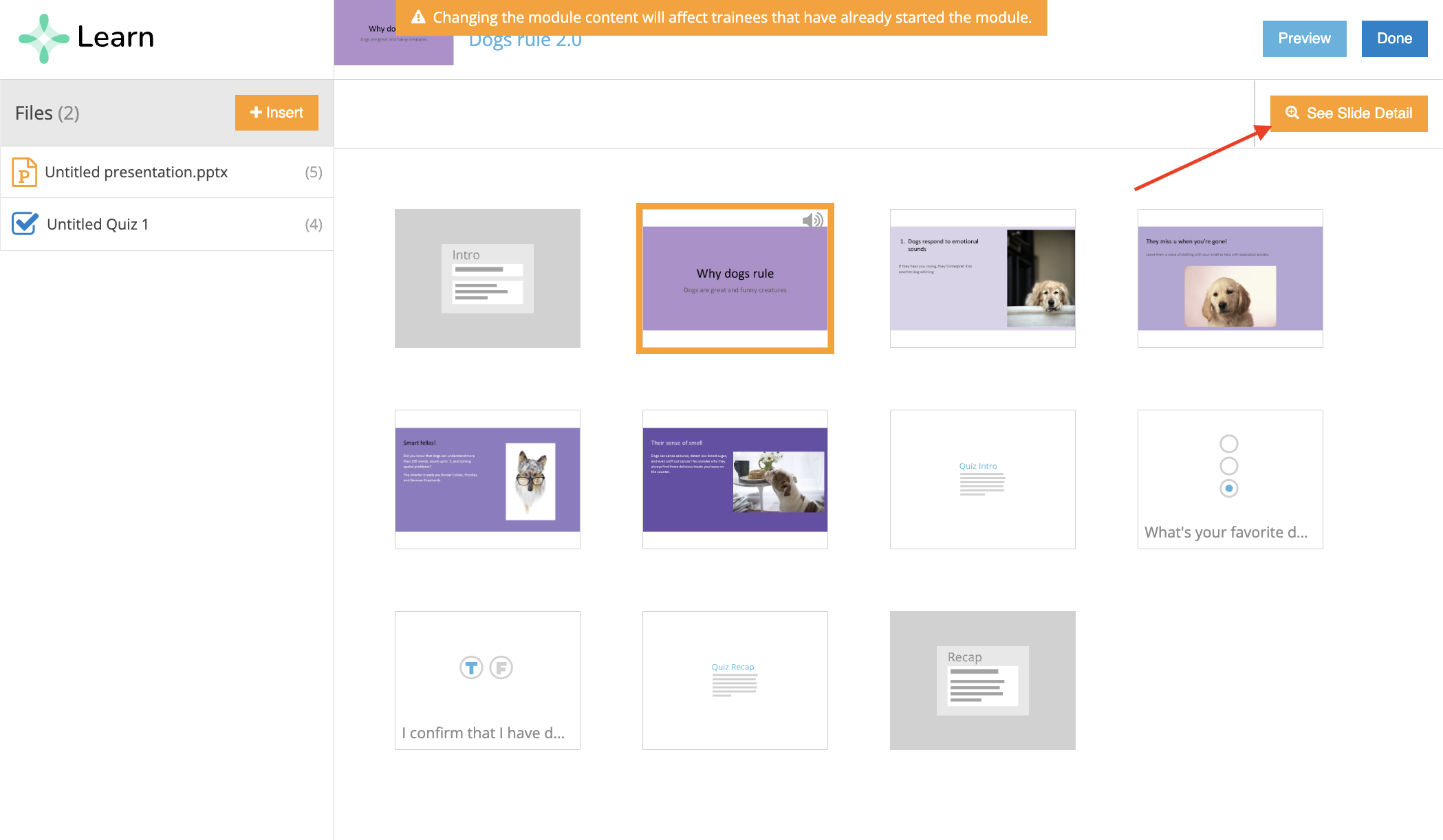
Option 3: Download Audio from an Individual Slide
Use this option if you only need the audio file from a specific slide.
- Open the module.
- Select the Content tab.
- Click Add and Arrange Content.
- Select the slide that contains the audio recording.
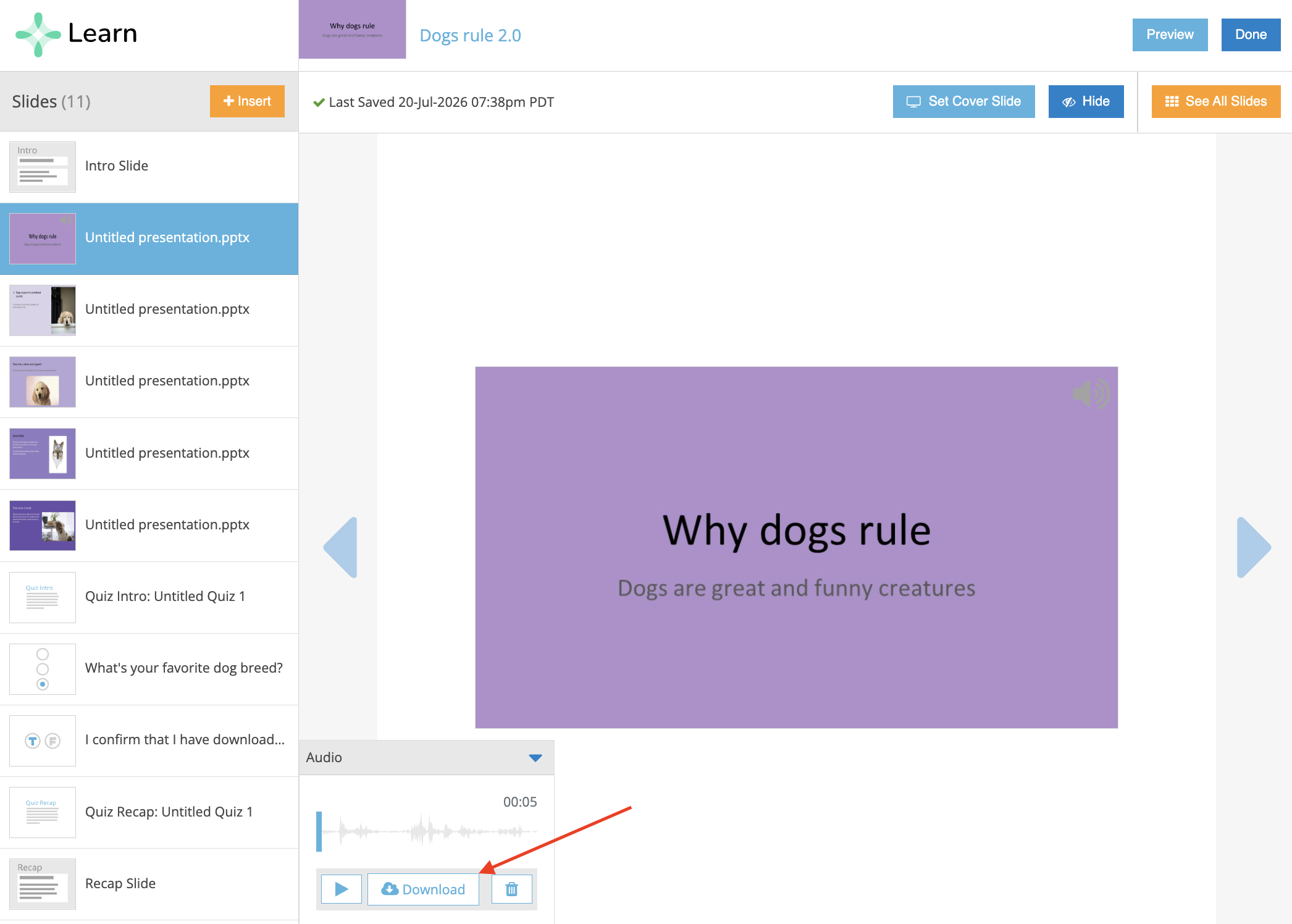
- Click See Slide Detail.
- In the audio widget, click Download.
The audio file for the selected slide is downloaded.
Additional Information
- Only original files and recorded audio are included when downloading module content.
- Quizzes and surveys cannot be downloaded.
- If the total size of the downloaded content exceeds 2 GB, you may receive an error when opening the .zip file. If this occurs, contact Trakstar Learn Support and provide the module name along with the specific files you need so they can provide an alternative download method.