
How do I see the status of modules in a course for a user?
You can view a trainee's status for each module in a course from either the Users page or the Courses page in the Admin Portal.
View Module Status from the Courses Page
- From the left navigation menu, click Courses.
- Locate the course by entering the course name in the search field or by scrolling through the list of courses.
- Click the appropriate course.
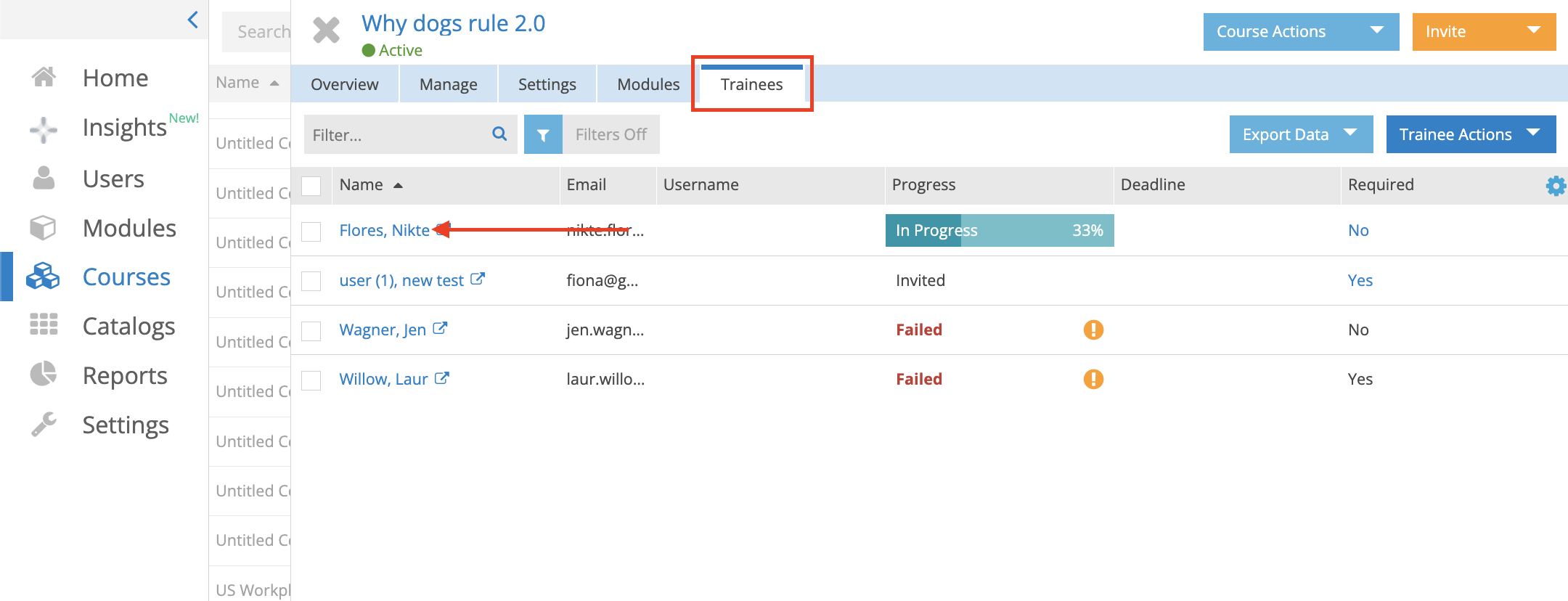
- Click the Trainees tab.
- Locate the Trainee by using the search field or scrolling through the list.
-
Click the Trainee's hyperlinked name.
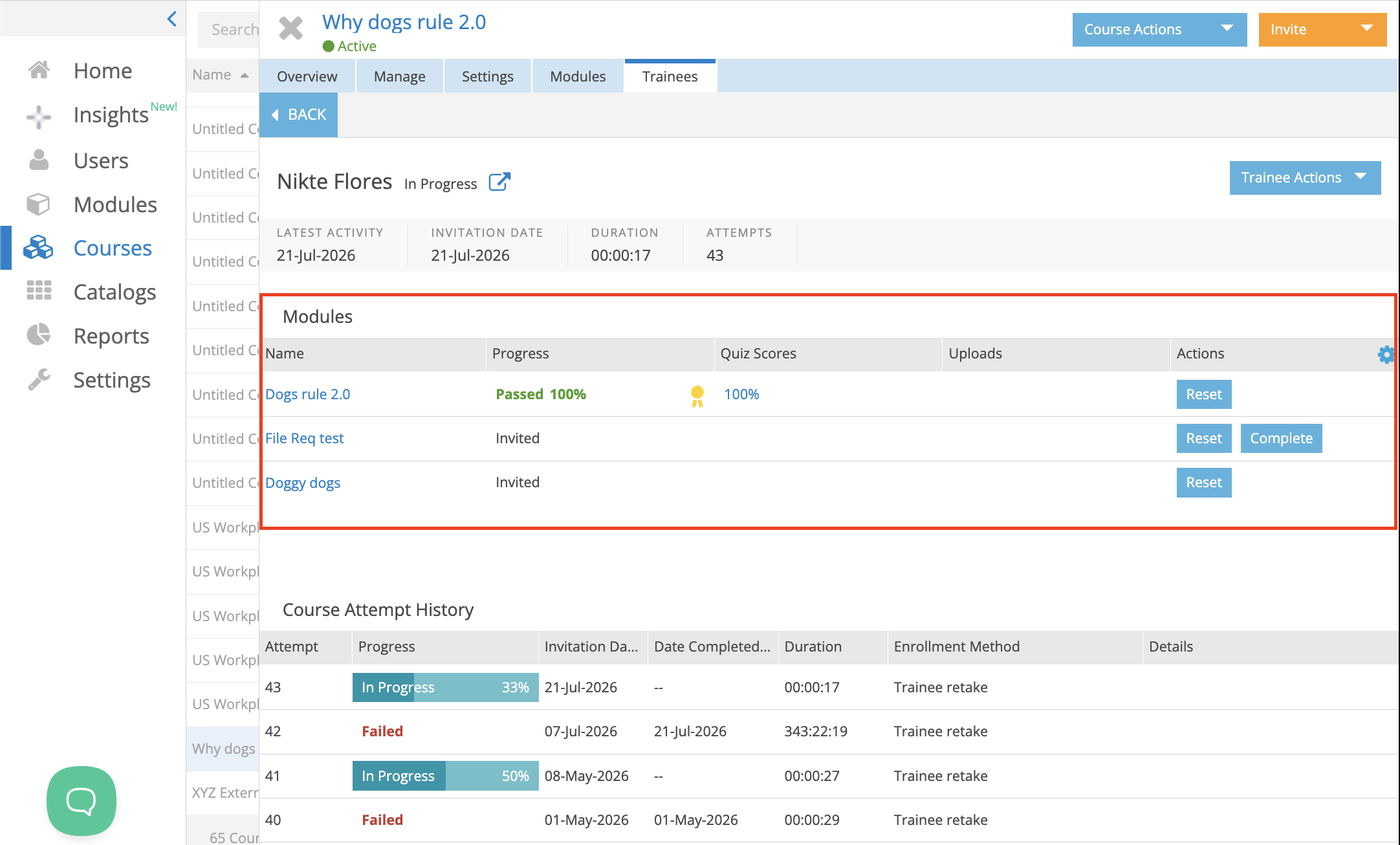
The course window for that trainee displays:
- The trainee's activity within the course
- A list of all modules in the course
- The trainee's status for each module
Pro tip: To customize the information displayed, click the Settings (cogwheel) icon in the upper-right corner of the window and select the fields you want to display.